A message
Write Telugu with English names and numbers, then copy it into WhatsApp.
Write your message Telugu Typing
Free online Telugu typing
Type Telugu words using English letters. Choose a suggestion,
then copy or download your text.
Device saving is off.
Optional: keep your latest draft for 30 days after editing. Anyone using this browser profile can open it. Draft privacy
Suggestions use an online service. Your current word is sent to Google Input Tools. How your text is handled
Write Telugu with English names and numbers, then copy it into WhatsApp.
Write your messageUse Download DOCX above to save your current text as an editable document.
Find the DOCX downloadTake your current text into the image tool. Choose a font and save a PNG.
Create an imageAlready have a short Romanized Telugu passage? Try the experimental paragraph converter. It keeps the original and lets you review each word.
The editor could not finish loading. Reload to try again.
English to Telugu typing starts with the word you want to say. Write its sound with your English keyboard, then choose the Telugu spelling you mean.
Keep Telugu selected as the output language. Click the text area and type namaskaram. English letters are your input; Telugu is the result you want.
Wait for suggestions below the editor. Click నమస్కారం, or press Space when it is highlighted. A space confirms the word and lets you continue typing.
Review the text, then choose Copy text to paste it elsewhere. Download TXT saves plain text; Download DOCX saves an editable Word document. Both keep your line breaks.
No account or keyboard installation needed. New suggestions require an internet connection.
Start with a greeting, compare similar spellings, then build a message. Choose the Telugu spelling shown here; suggestions can appear in a different order.
namaskaramనమస్కారంType the whole word, then choose this greeting from the suggestions.
dhanyavadaluధన్యవాదాలుConfirm the spelling before adding punctuation or another word.
kaకkaaకాCompare the short a with the long aa in these letter examples. Review the vowel sign in the result.
kaకkhaఖThe extra h changes the consonant in this example. Choose the Telugu letter you intend.
naa peru Anu.Confirm naa and peru in Telugu mode, then switch to English before typing Anu. The name and final full stop stay as entered.
Paragraph keep list: Anu
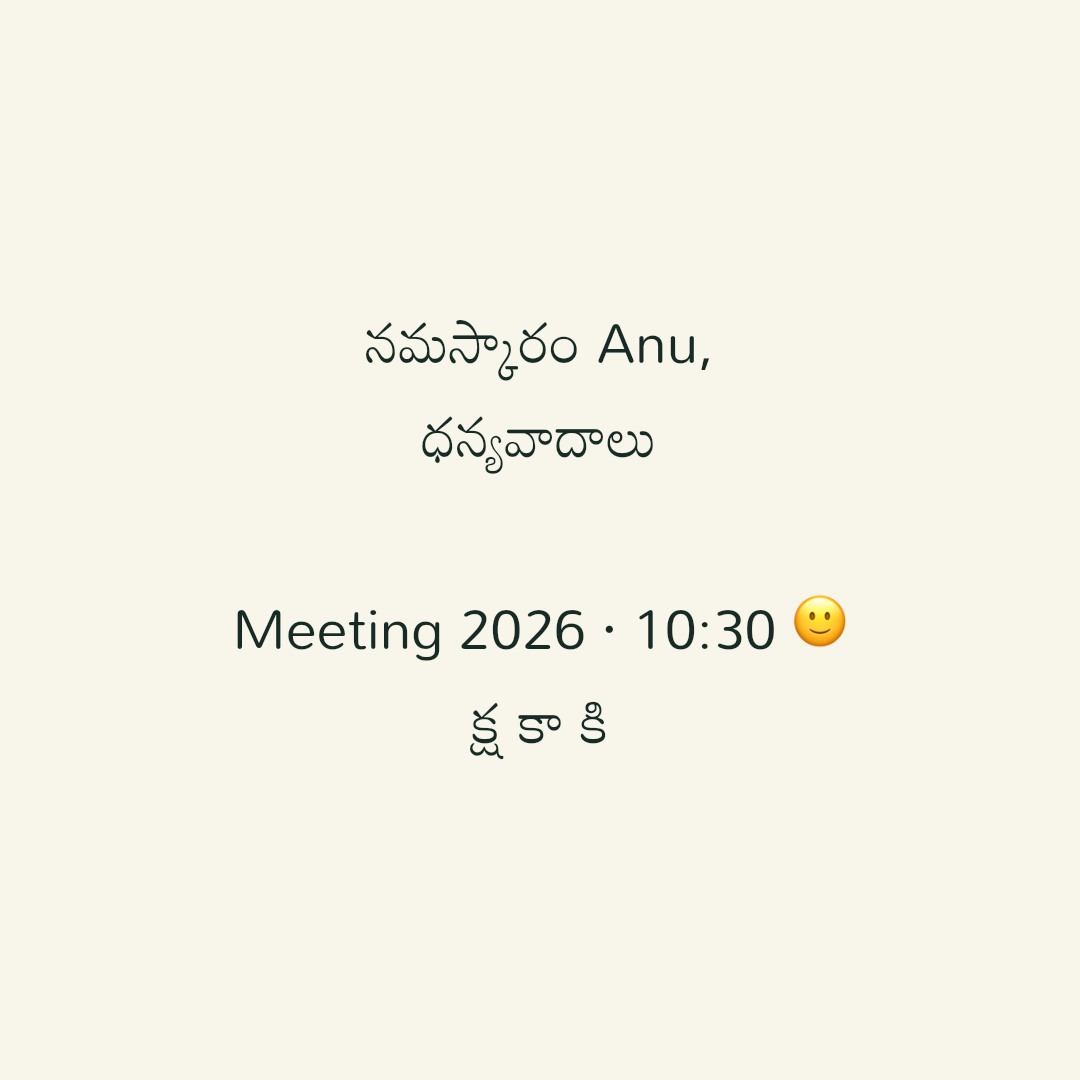
namaskaram Anu,
dhanyavadalu!
Meeting 2026, 10:30Use Telugu mode for the two Telugu words and English mode for Anu and Meeting. Press Enter for each new line; keep the numbers and punctuation together.
Paragraph keep list: Anu, Meeting
For a pasted passage, enter the listed names and English words in the paragraph converter’s keep list before converting. To practise word by word, return to your editor.
References: Unicode Telugu letters · Cambridge: thank you · Cambridge: my name. The name and message examples combine these spellings with English text kept unchanged.
English-letter spellings do not map to just one Telugu spelling. The service returns possible matches so you can choose the word you mean. You use one candidate, not all of them.
The highlighted word is the default choice. Click or tap another candidate if it fits better. On a computer, keep your cursor in the editor and use the arrow keys to move through the suggestions.
For an English name, select Keep English while the word is active. To write several English words, switch to English mode first. Changing modes leaves the text you already wrote unchanged.
To correct an earlier word, click or tap it, or move the cursor into it. Words converted during this visit show their saved spelling choices. Choose another spelling to change only that occurrence, or select Restore English for its original Roman spelling. Close suggestions or Esc keeps the text unchanged.
These choices last only for the current editor visit. For pasted text, restored drafts or text received from another tool, select a word and type its Roman spelling again, then choose a suggestion. You can also use Undo to reverse a recent change.
| Key | What it does |
|---|---|
| Space | Confirms the highlighted word and adds a space. |
| Enter | Confirms the word and starts a new line. |
| ↑ ↓ | Moves the highlight between suggestions. |
| Esc | Keeps the current word in English. |
Your result is Unicode Telugu text, so you can copy, edit and reuse it as text. It is not an image and does not need a legacy-font converter.
Write on your computer or laptop, then download an editable DOCX or copy the text into an existing document. Check the font and line spacing in Word if Telugu marks look clipped.
How to type Telugu on a computerPrepare a message here, then paste it into WhatsApp on your phone or in WhatsApp Web. Keep English names, numbers and line breaks together. Review the recipient and wording before sending it yourself.
How to type Telugu in WhatsAppSee an actual result: download an editable sample DOCX or download a Telugu sample PNG. Continue with the Word and DOCX guide, Android and iPhone keyboard setup, or the printable InScript layout.
English to Telugu online typing changes the script of the sounds you enter. Translation changes the meaning of a sentence into another language. They solve different problems.
Enter namaskaram to write నమస్కారం. Use this editor when you can say the word but want help writing it in Telugu script.
Typing an English sentence will not translate its meaning here. For that task, use a translation service or ask someone who knows both languages.
You should not have to keep pressing Enter or Backspace to make a word convert. Match what you see in the editor to the next step below.
namaskaram., is preserved when you choose a suggestion. URLs and email addresses stay as typed.Practical answers about keyboards, pasted text, mobile typing and how your writing is handled.
Yes. Telugu typing with English letters is phonetic: you write a Telugu word as it sounds, then choose its Telugu spelling. You can use a familiar English keyboard without learning a separate Telugu keyboard layout or installing a keyboard extension.
Yes. The editor, word suggestions, copy, TXT and DOCX downloads are free to use, with no registration. You need an internet connection to get new suggestions from the online service.
Pasted text stays exactly as pasted. This tool does not translate an English paragraph or automatically transliterate an entire document. If a pasted word represents Telugu pronunciation, place your cursor in that word and choose Get suggestions to work on it individually. The experimental paragraph pilot is available separately below.
Open the editor in your mobile browser and use English letters on your keyboard. Tap a Telugu suggestion to confirm it. Enable Save a draft on this device to restore your latest text for up to 30 days after editing, and check the save status before switching apps. Saving is off by default; copy or download a separate backup.
If the current word has ready suggestions, Copy text, Download TXT and Download DOCX use the highlighted suggestion. If it is still loading or has failed, the Roman text is kept and a message tells you. Check the result before sharing it.
The current Roman-letter word is sent to Google Input Tools for suggestions. This site does not save drafts to a server. Copy, TXT and DOCX downloads happen in your browser. The site uses Google Analytics for usage and Cloudflare for page performance; editor text is not included in analytics events. There is no advertising.
Read our privacy policy for details about suggestions and text handling, or learn about this tool.